
Schedules
The job detail page owns the schedule card. A job without a schedule shows
No recurring schedule configured and the Create schedule action. An
existing schedule shows its CRON expression, time zone, enabled state, and
next fire time, with Edit and a destructive delete action.
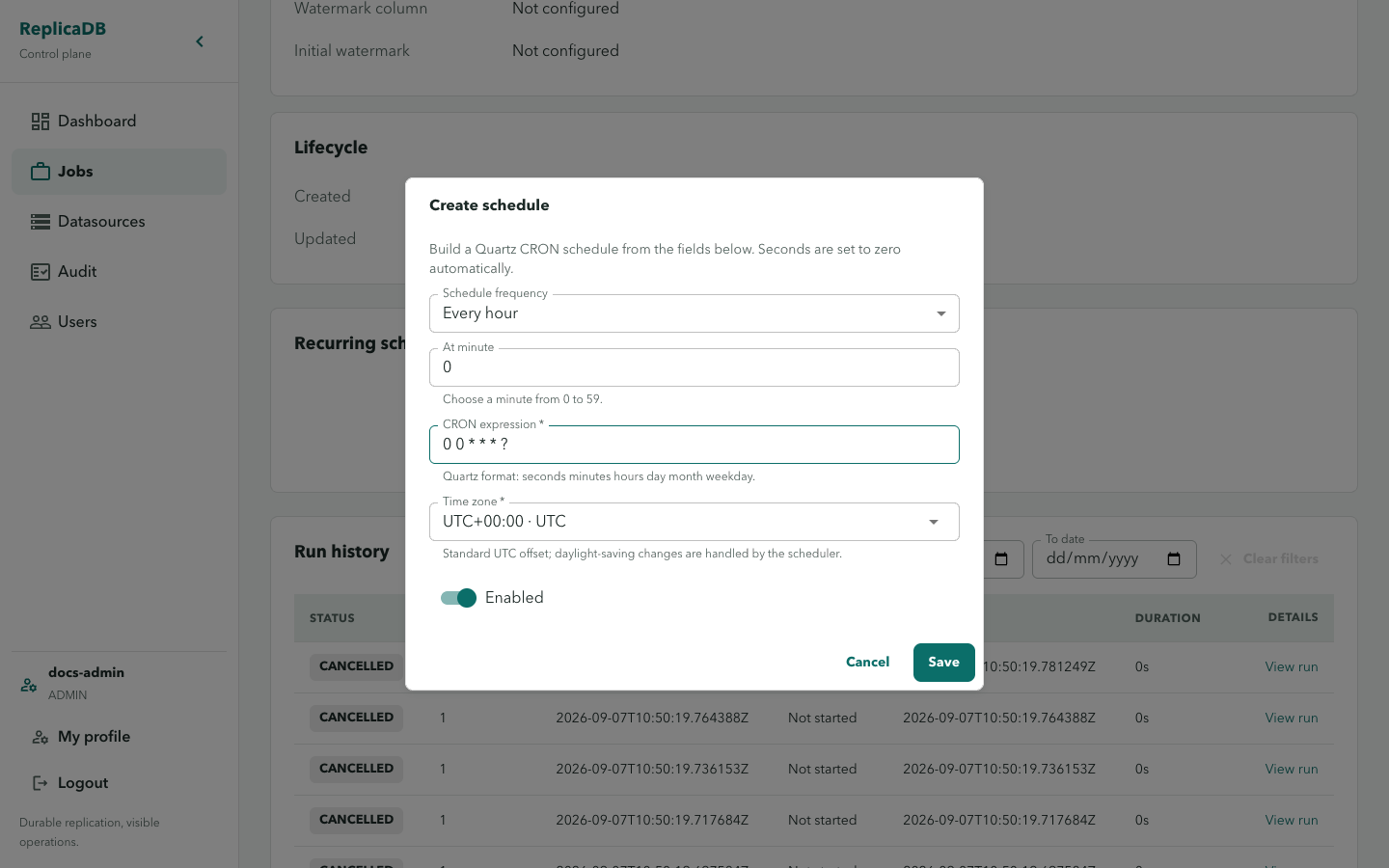
The editor accepts a frequency builder or a CRON expression, a Time zone,
and Enabled. Save with Save or leave with Cancel. Schedule validation
errors remain in the editor; API failures use an operational error notice.
Configure and verify recurring work
Section titled “Configure and verify recurring work”Start from a job that has completed a representative manual run. Choose the time zone explicitly, review the generated or supplied CRON expression, and save with the schedule enabled only when the next-fire time is expected. Return to job detail to confirm the persisted expression, time zone, enabled state, and next fire time after a refresh.
The API reconciles the durable schedule into clustered Quartz; saving a schedule does not execute a run immediately. A failed or missing next-fire time is a configuration or scheduler signal to investigate before expecting work, not a reason to create duplicate schedules.
Scheduling triggers durable runs; it does not bypass job permissions or datasource bindings. A disabled binding blocks future scheduled work while an active run continues under its own lifecycle.
Disable a schedule to stop future fires without deleting its configuration. Delete it only when the recurring intent should be removed. Use runs and diagnostics to confirm an actual scheduled attempt and scheduling and high availability for reconciliation and failure semantics.