
Replication modes
Set mode in an options file or use --mode. The supported values are
complete, complete-atomic, and incremental.
Complete
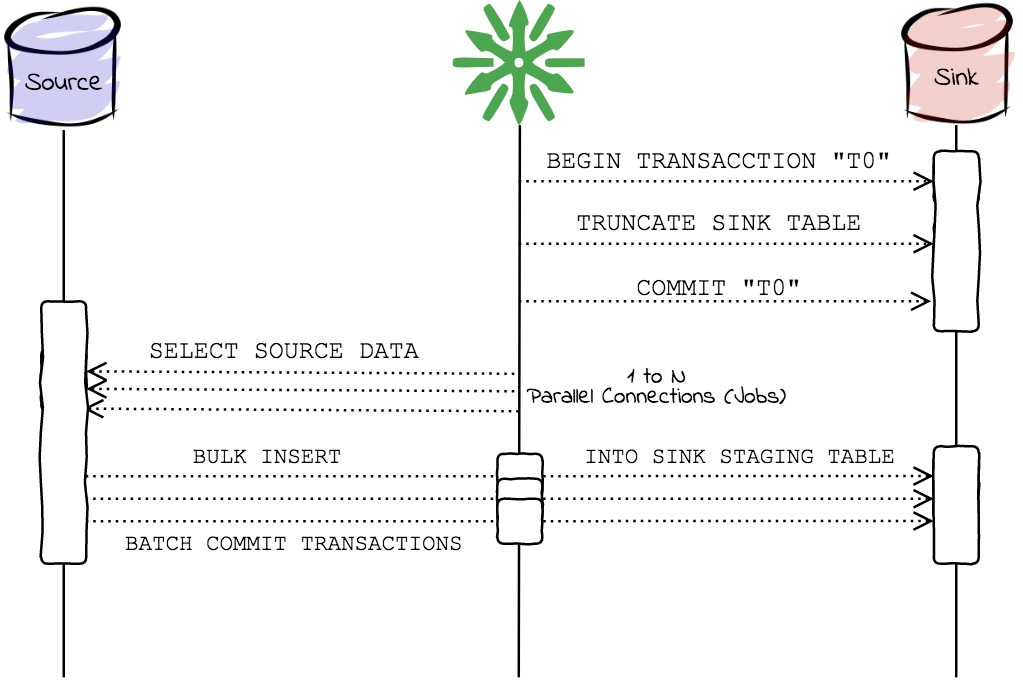
Section titled “Complete”complete prepares the sink and inserts all rows read from the source. The
sink can be empty while the transfer is running. This is the default mode.
Use it for a disposable or replaceable sink where the straightforward bulk
path is the right tradeoff.
The observable flow is:
- Validate the source selection and sink target.
- Run connector preparation, including clearing the sink unless truncation is explicitly disabled.
- Partition and read the selected source rows across the configured workers.
- Insert those rows into the sink and run connector post-processing.
If the process stops after sink preparation, readers can observe an empty or partially repopulated target. A retry starts the complete flow again.
Complete-atomic
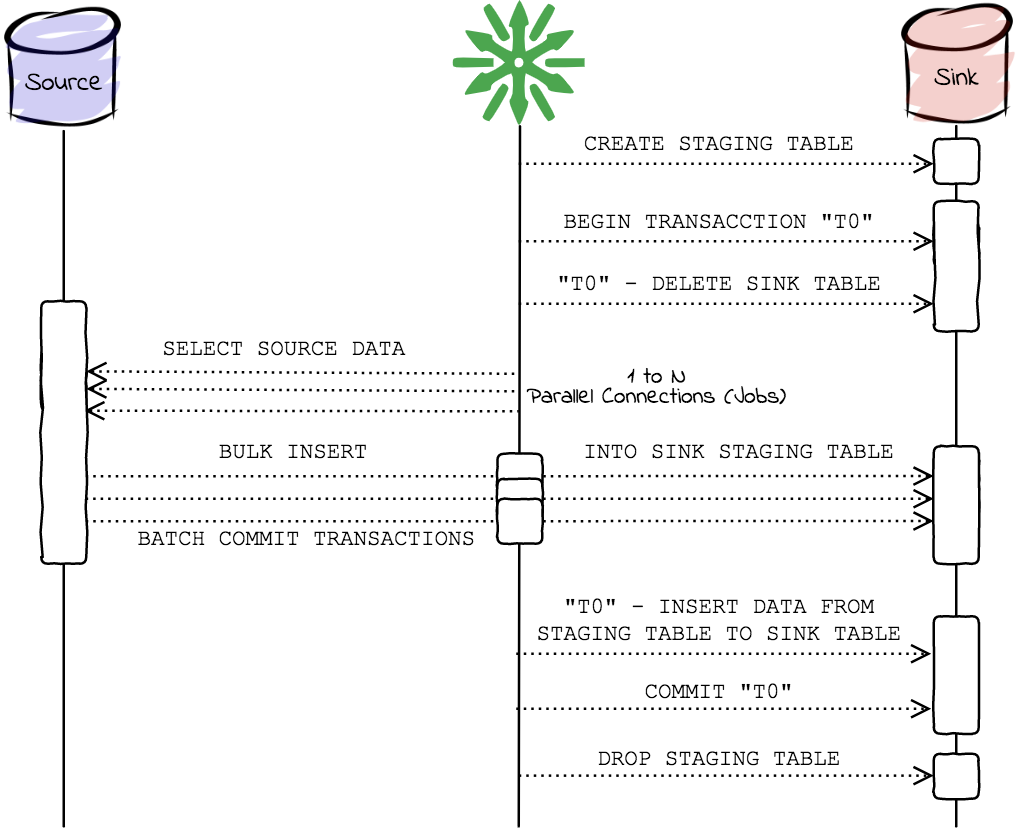
Section titled “Complete-atomic”complete-atomic stages the new data and replaces the sink contents within a
transactional flow so readers do not observe the ordinary complete-mode
truncation window. It requires staging support and enough sink capacity for
the staging table. With a fixed staging table, the sink must provide the
required permissions; a staging schema can be used for generated tables.
The connector creates or selects a staging table, loads the complete source selection into it, validates the staged operation, then clears and repopulates the final sink within its atomic replacement transaction. Automatically created staging state is cleaned up afterward; a user-provided staging table is retained. Connector support and transactional guarantees remain sink-specific.
Incremental
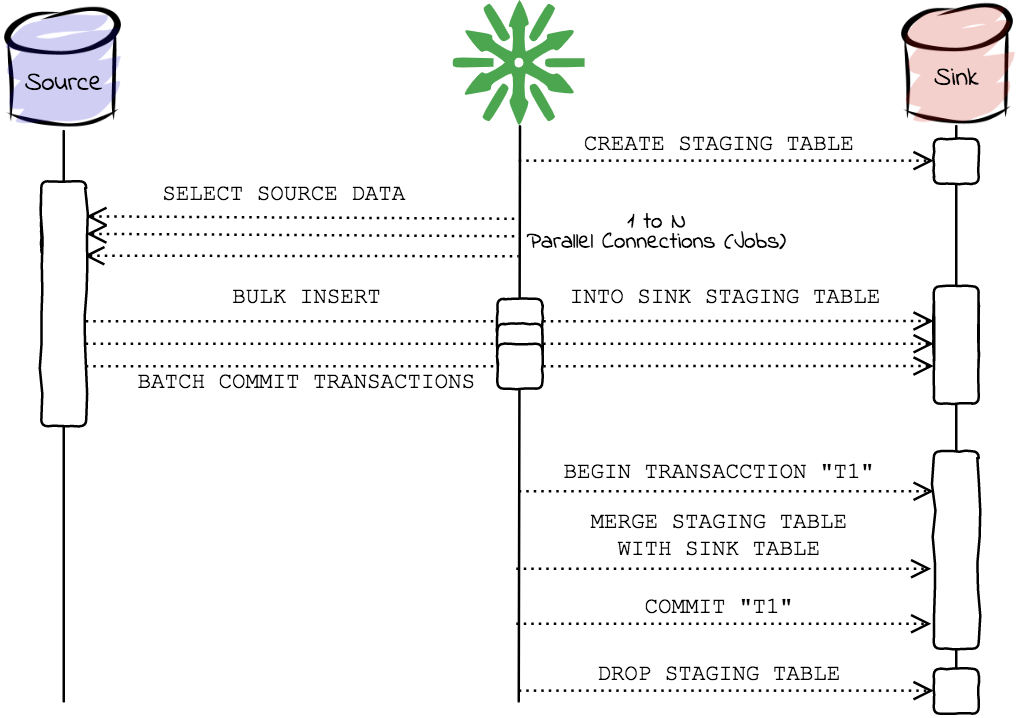
Section titled “Incremental”incremental reads a bounded source selection and merges rows into the sink.
Use a source filter or the explicit watermark options described in the
watermark guide. Incremental mode
does not propagate deletes and requires a sink primary key for merge behavior.
The source filter or watermark selects candidate rows. Connectors that require staging load those rows into a staging table, then merge matched keys and insert new keys into the final sink. A successful process reports the highest observed watermark; the caller persists it only after the whole run succeeds. ReplicaDB does not infer deleted source rows or provide change ordering beyond the selected watermark value.
Cancellation and recovery
Section titled “Cancellation and recovery”The CLI does not resume a partially completed process. A cancellation exits with code 2; a validation or replication error exits with code 1. Inspect the sink after interruption and choose a new complete or incremental run based on the connector’s transaction and staging behavior.