
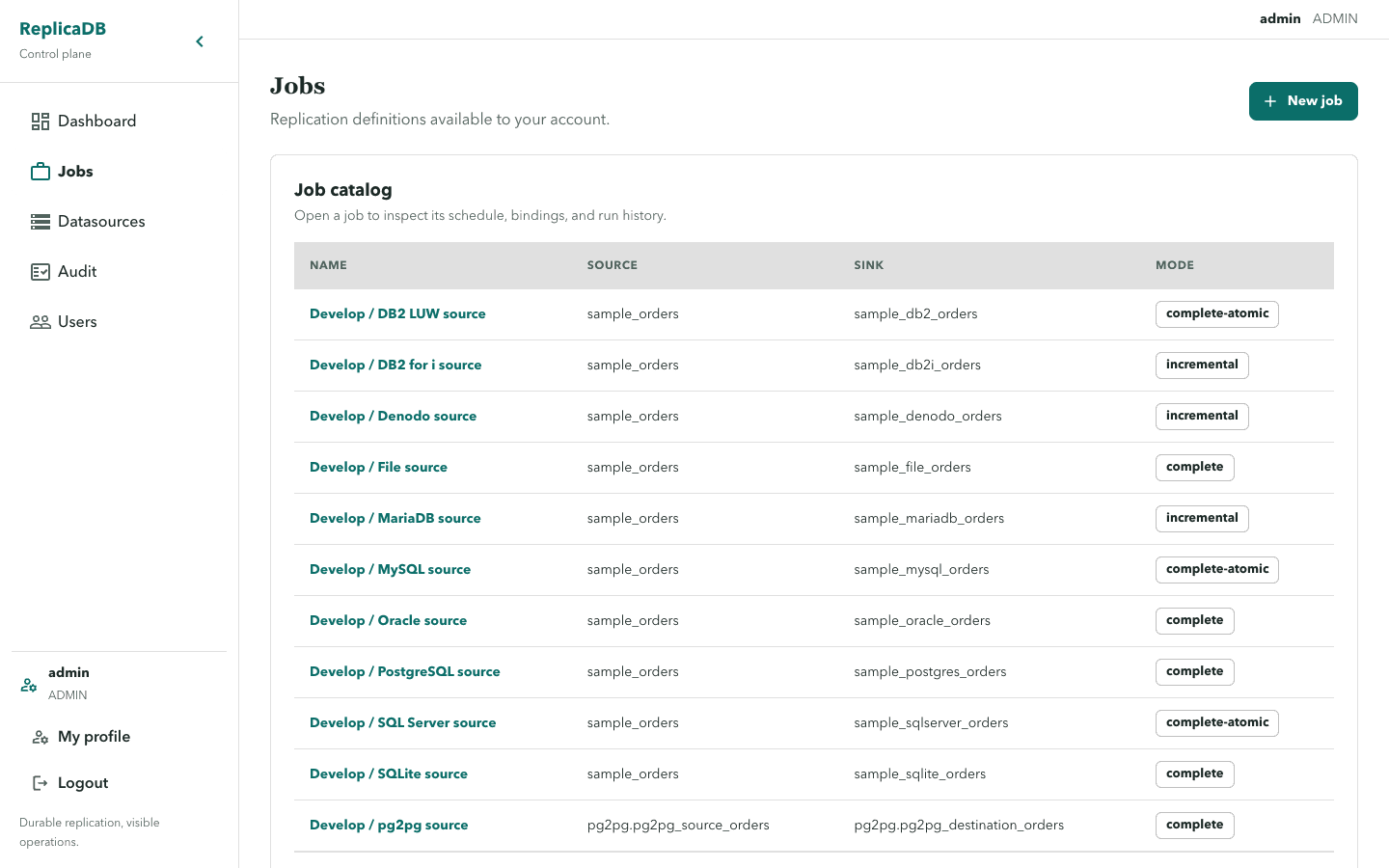
Jobs
The protected /jobs route lists jobs visible to the current user. New job
opens a definition with source and sink datasource bindings, table/query
selection, mode, parallel tasks, fetch size, bandwidth, logging, staging, and
retry settings.
Definition and actions
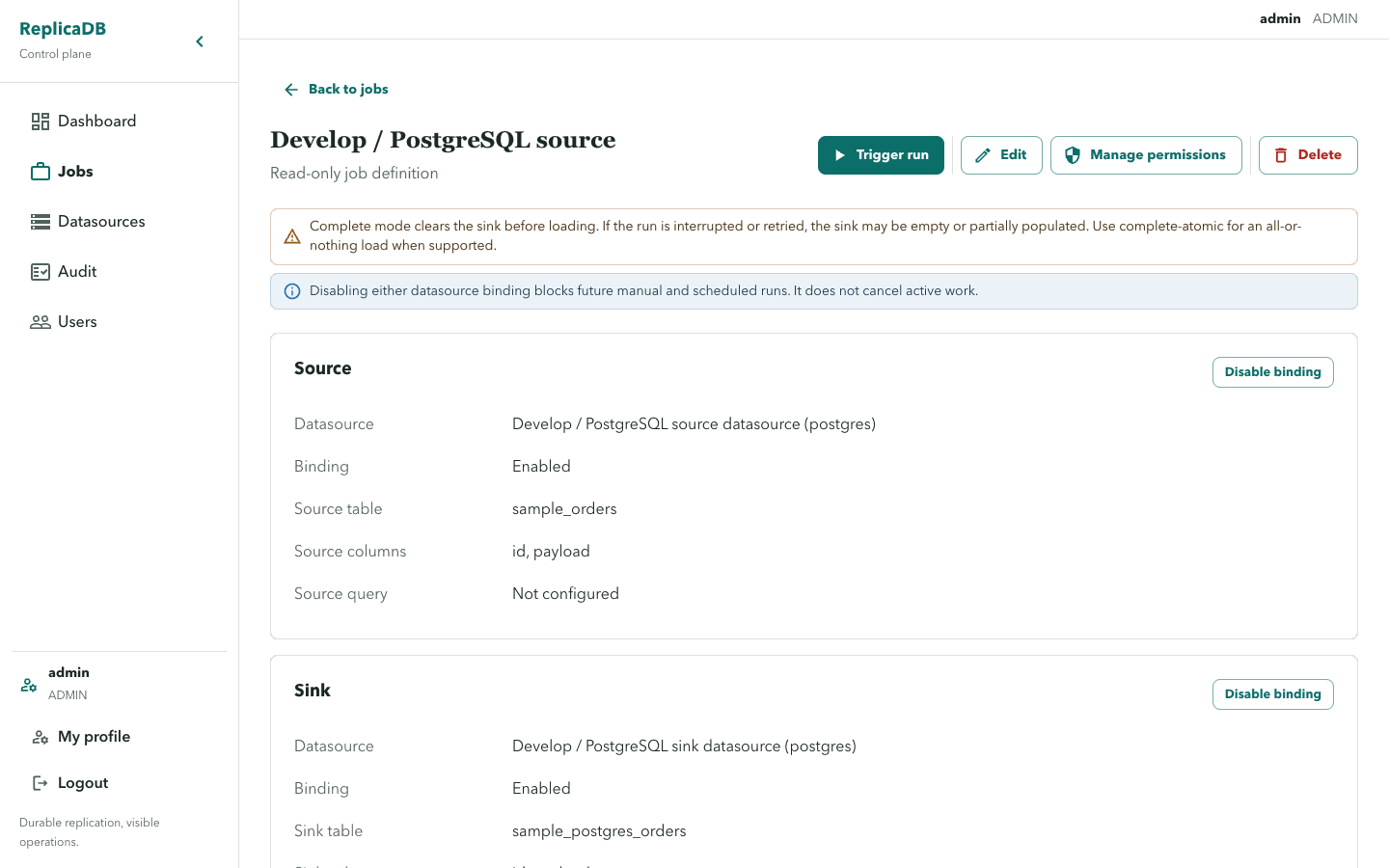
Section titled “Definition and actions”The job detail route is /jobs/:id and is read-only for the definition. It
offers Trigger run, Edit, and, for ADMIN users, Manage permissions and
Delete. Deleting a job also removes its run history, schedules, permissions,
and logs after confirmation.
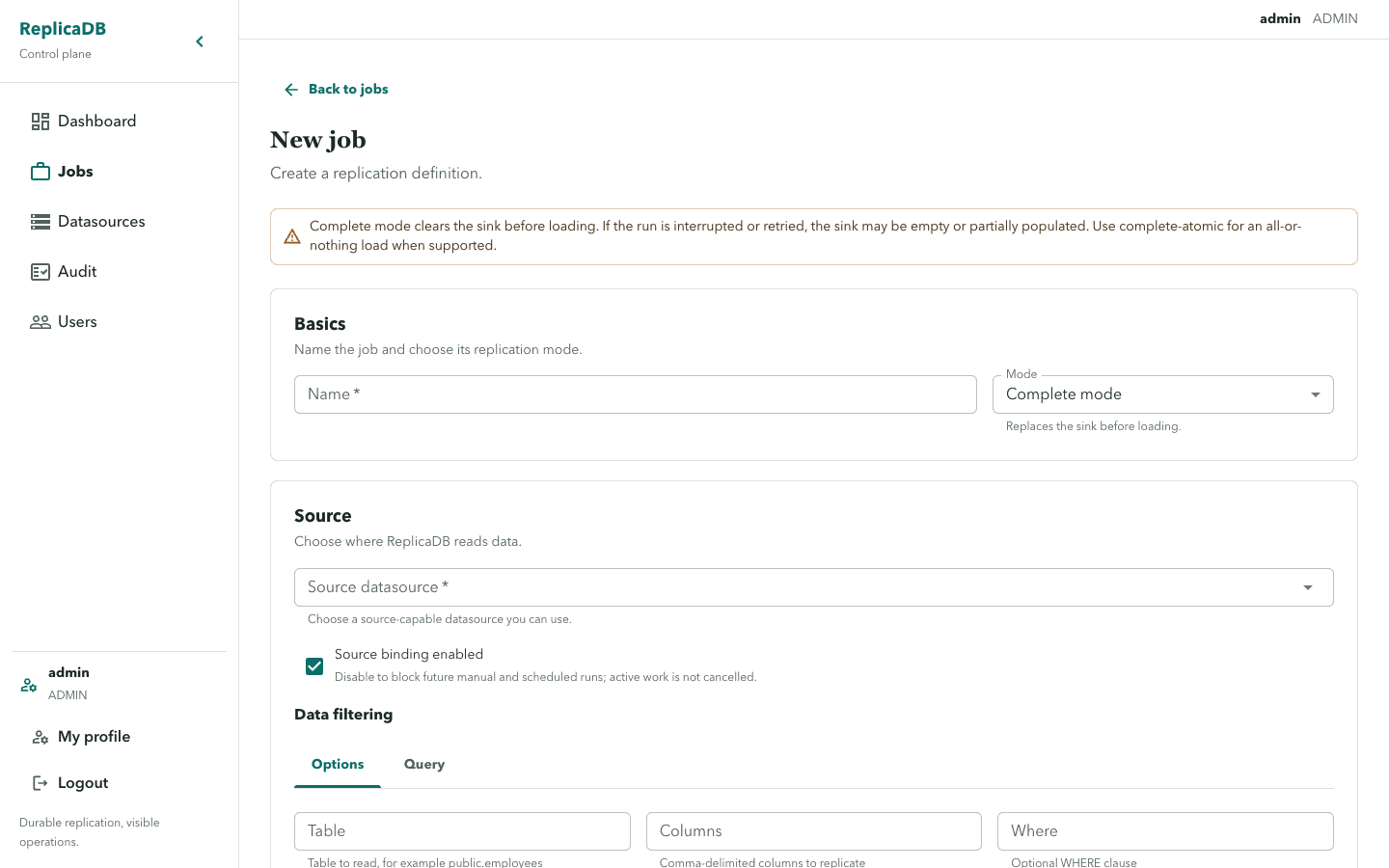
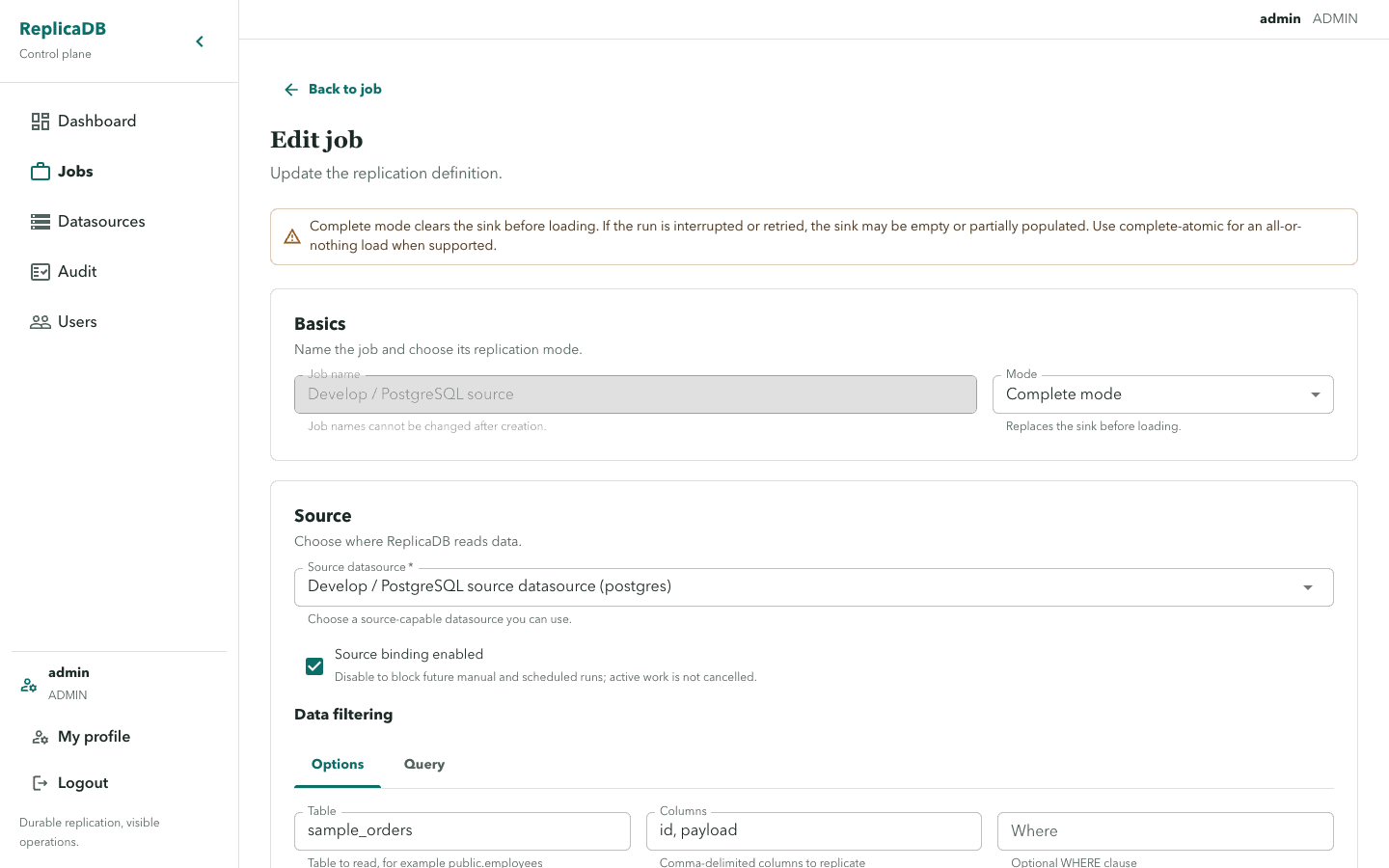
The edit route is /jobs/:id/edit. Validation includes Name is required,
Source datasource is required, Source table or query is required,
Sink datasource is required, Sink table is required, Parallelism must be at least 1, watermark requirements for incremental mode, and retry bounds.
Define and validate execution intent
Section titled “Define and validate execution intent”Select source and sink profiles that the current user can use, then choose a table or source query, sink table, replication mode, and bounded parallelism. Save the definition, inspect it from the read-only detail page, and trigger a manual run before adding a schedule. This validates the connector capability, bindings, permissions, and runtime configuration together.
The detail page is the durable record of the definition, its schedule, and attempt history. Editing changes future claims; an active attempt keeps its claim-time datasource snapshot. A conflict during edit requires refreshing the definition before retrying so one operator does not silently overwrite another.
Complete mode shows a warning that it clears the sink before loading; an interrupted or retried run may leave it empty, truncated, or partially populated. Use complete-atomic when the connector supports an all-or-nothing load. Binding a source or sink can be disabled; disabling either blocks future manual and scheduled runs but does not cancel active work.
Jobs refer to datasource IDs only. Connection security is managed by the datasource catalog and is never copied into a job response.
Disable or delete deliberately
Section titled “Disable or delete deliberately”Disabling a source or sink binding blocks future manual and scheduled runs, but does not cancel active work. Use run cancellation when the active attempt must stop, then inspect its warning and diagnostics. Deleting a job is an ADMIN operation that removes its dependent run history, schedules, permissions, and logs after confirmation; export or investigate the required history first.
Continue with schedules after a successful manual run, or runs and diagnostics when validation exposes a failure or sink-risk warning.